What is Open Real Estate?

Open Real Estate is an open-source content management system (CMS) specifically designed for real estate websites. It provides a customizable platform to manage property listings, search filters, and property details. Open Real Estate supports multi-language, has a responsive design, and integrates with various payment gateways and SEO tools. It's a great choice for anyone looking to create a property listing website or a real estate portal.
Softaculous helps you install web applications very easily. Please follow the steps below to install Open Real Estate:
Step 1. Log in to your cPanel account.
Step 2. In the Software section, click on Softaculous Apps Installer.
Step 3. cPanel will redirect you to the Softaculous interface.
Step 4. On the left side, locate the Portal/CMS category. Click on it and then select Open Real Estate.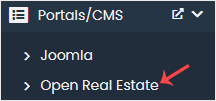
Step 5. Click on Install.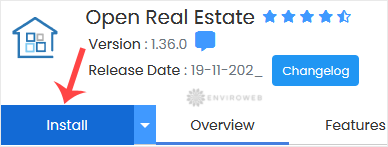
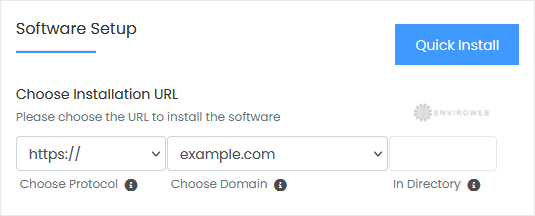
Step 6. Under the Software Setup section:
- Choose Installation URL: Select the domain and protocol you want to install Open Real Estate on. If you wish to install it in a subfolder (e.g., example.com/real-estate), enter the folder name in the "In Directory" field. Leave it blank to install it on the root domain (e.g., example.com).
Step 7. Under the Site Settings section:
- Site Name: Enter the name of your website, such as Real Estate.
Step 8. Under the Admin Account section:
- Admin Email: Enter your email address.
- Admin Password: Choose a strong password.
- Admin Username: Set your admin username for Open Real Estate.
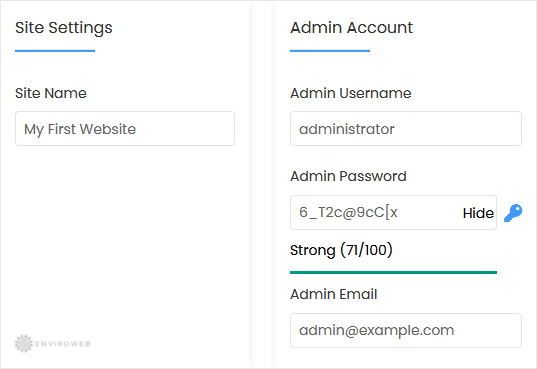
Note: Copy the admin username and password to Notepad. You will need these to access the admin area of your Open Real Estate website later.
Step 9. Advanced Options: Leave this section unless you want to change the database name or set up automated backups. Frequent backups may consume a significant amount of disk space.
Finally, scroll to the end of the page and click on Install.