

Once you have configured your Paid SSL Certificate you will need to install it.
To install your certificate, follow these steps:
1. From your Enviroweb dashboard, navigate to Services > My Services
2. Select your SSL Certificate
3. Click Retrieve Certificate from the sidebar menu and click Copy to Clipboard
4. Next, login to your hosting control panel from your Enviroweb dashboard and locate SSL/TLS
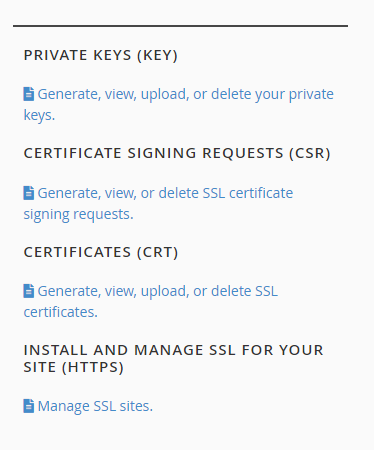
5. On the SSL/TLS page click the "Generate, view, upload or delete SSL certificates" link
6. Paste the previously copied certificate code into the large text box.
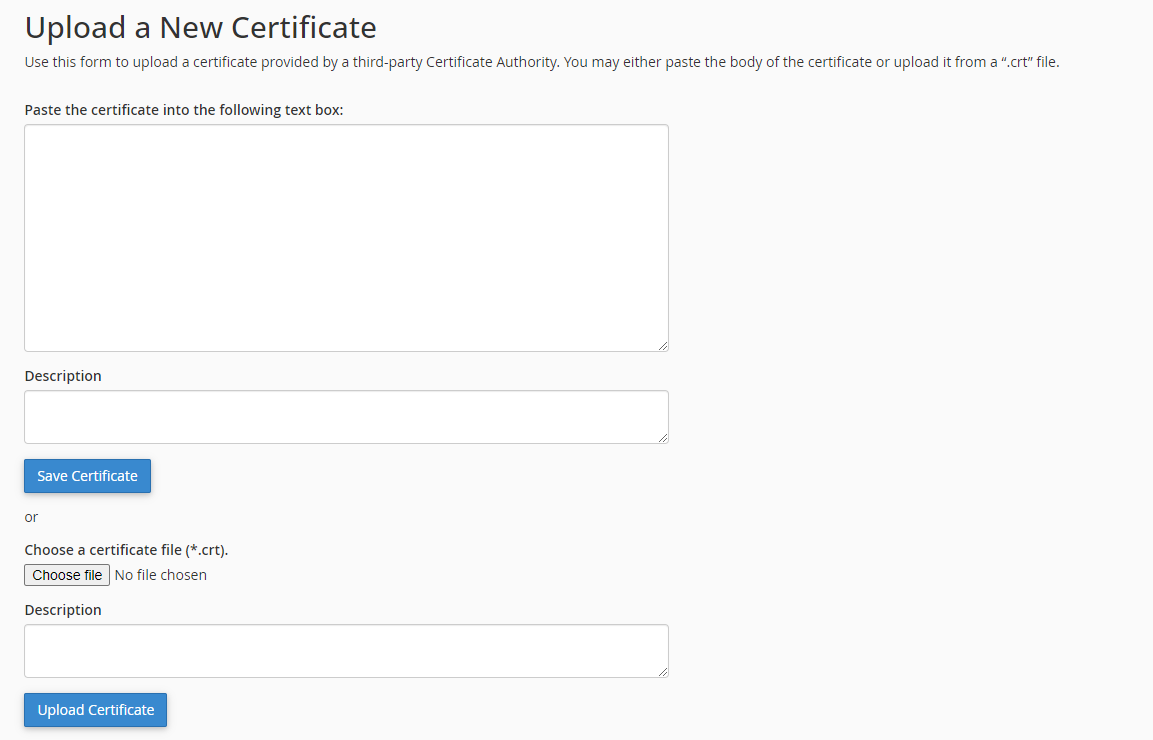
7. Click Save Certificate
8. Click Go Back and click Return to SSL Manager at the bottom of the page.
9. Next, Click "Generate, view, upload or delete SSL certificates" and click Install for the domain name you have purchased the SSL for. (Note: you may see multiple entries for a single domain name with different issuers in the table, you will be installing from an issuer that Isn't Let's Encrypt. Lets Encrypt provide the free SSL with your hosting account)

10. Scroll to the bottom of the page and click Install Certificate
11. A pop up box will appear to confirm the certificate has been successfully installed.
