

You can access your Email account directly from Webmail.
1. Open http://example.com/webmail, replace example.com with your domain name, enter your full email address and password in user login details, and click on Login.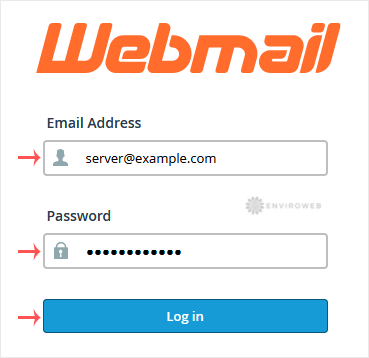
2. From the cPanel's Webmail Page, click on any Webmail email reader such as Roundcube, or any other available application.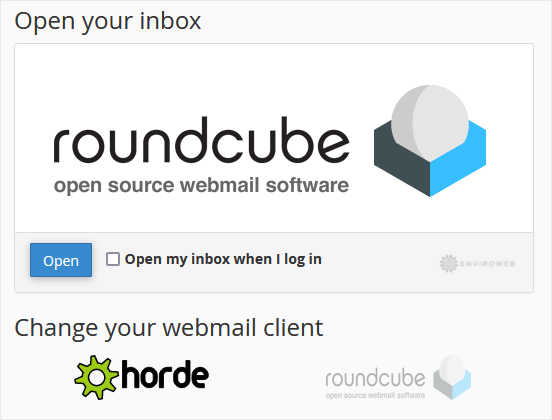
Use the Webmail Email Reader to read your email.
- Portal Home
- Knowledgebase
- X.Hidden Articles
- How to Access Email from cPanel Webmail
How to Access Email from cPanel Webmail
Most Popular Articles
How to create a parked or addon domain
The Enviroweb dashboard enables you to assign additional domains to your hosting account. You can...
Migrating a cPanel Account From Another Provider to Enviroweb
Fix PHP Error: Allowed Memory Size of X Bytes Exhausted
If you're encountering an error like "Allowed memory size of... in file...
How to Check the Disk Usage and the Bandwidth Usage of Directories
If you are getting a disk space usage warning from cPanel and don't know which directory is using...
How to Set the PHP Version per Domain in cPanel
In this article, we will demonstrate how to use cPanel to set different PHP versions for...
