What is WonderCMS?

WonderCMS is a simple and lightweight content management system (CMS) that does not require a database. It is ideal for users who want a fast and minimalistic solution for creating websites. With a very user-friendly interface, WonderCMS is an open-source CMS that is easy to install and use.
Softaculous helps you install web applications very easily. Please, follow the steps below to install WonderCMS:
Step 1. Log in to your cPanel account.
Step 2. In the Software section, click on Softaculous Apps Installer.
Step 3. cPanel will redirect you to the Softaculous interface.
Step 4. On the left side, locate the Portal/CMS category. Click on it and then select WonderCMS.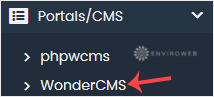
Step 5. Click on Install.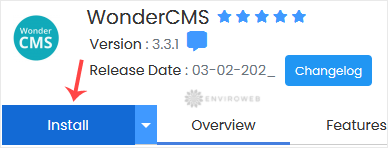
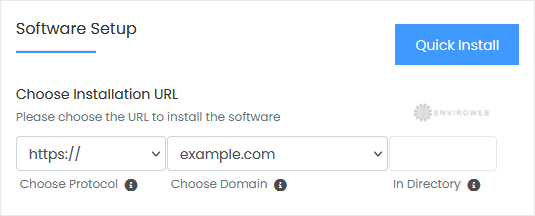
Step 6. Fill in the necessary fields under the Software Setup section:
- Choose Installation URL: Choose the appropriate protocol/domain. If you want to install this in a subdirectory (e.g., example.com/wondercms), enter the directory name. Leave it blank to install in the root directory (e.g., example.com).
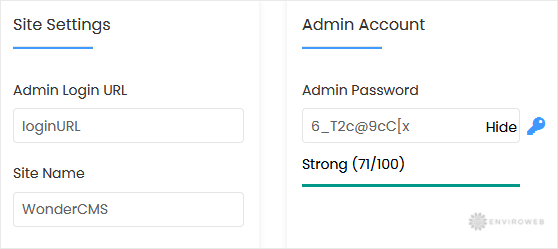
Step 7. Under the Site Settings field, enter the following information:
- Admin Login URL: You can leave this as it is.
- Site Name: Enter the name of your website, such as WonderCMS.
Step 8. Under the Admin Account field, enter the following information:
- Admin Password: Use a strong password.
Note: Copy the admin username and password to Notepad. You will need those to access the admin area of your WonderCMS website later.
Step 9. Advanced Options: Leave this section as is unless you want to change the database name or enable automated backups. Please note that frequent backups may consume a lot of disk space.
Finally, scroll down to the end of the page and click on Install.