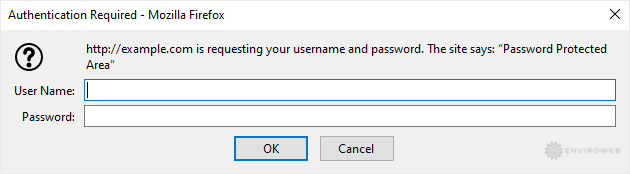
You can lock a directory with a password using cPanel’s Directory Privacy tool. This feature prevents unauthorised access to specific folders via a browser and is ideal for securing sensitive areas of your website.
Step 1. Log in to your cPanel account.
Step 2. In the Files section, click on Directory Privacy.
Step 3. Click on the directory to open it.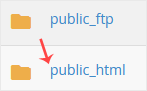
Step 4. Click on Edit next to the directory you want to protect.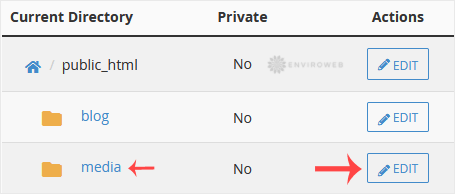
Step 5. Under Security Settings, tick Password protect this directory, then click Save.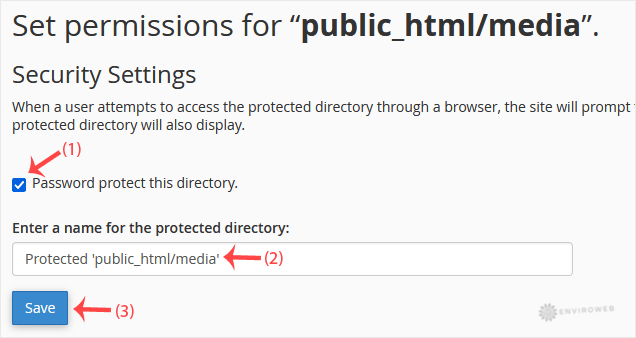
Step 6. Click on Go Back to return to the previous screen.
Step 7. Scroll down to Create User. Enter a username and password, or use the Password Generator. Save the credentials in a safe place, then click Save.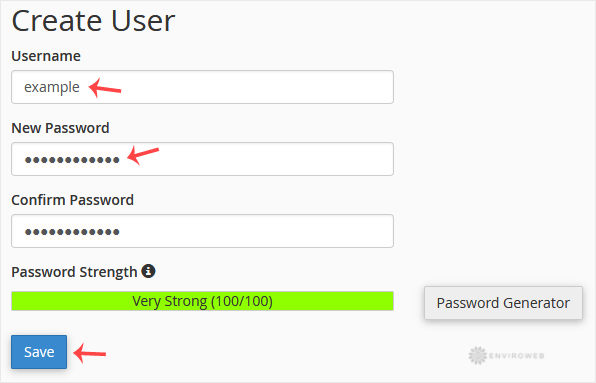
If you now try to open the protected directory in a browser, such as www.example.com/myfolder, a login prompt will appear asking for the credentials you created.