

External websites may sometimes display your website’s images directly on their own pages, using your bandwidth without permission. This is known as “hotlinking”. You can prevent this by enabling Hotlink Protection in cPanel.
Step 1. Log in to your cPanel account.
Step 2. In the Security section, click on Hotlink Protection.
Step 3. If you see the message Hotlink protection is currently disabled, click on Enable.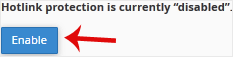
Step 4. Under URLs to allow access, you can specify which websites are allowed to link to your images or other media files. This typically includes your own domain and subdomains. For example, if you also use demo.example.com, you should add it to the list of allowed sites to prevent any issues with media not loading properly.
