

How to Remove a Post in WordPress

If you need to delete a post, whether it's published or a draft, WordPress makes it easy to remove. Just follow these simple steps.
To remove a published or draft post in WordPress, follow the steps below:
Step 1: Log in to your WordPress dashboard.
Step 2: From the Dashboard menu, go to Posts and click on All Posts.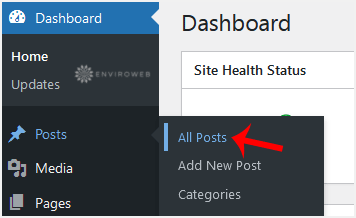
Step 3: Hover your mouse over the post you want to remove, and click on Trash.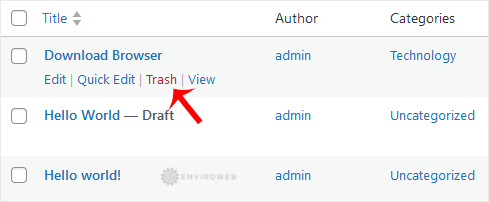
You will see a message confirming that the post has been moved to Trash.
