

How to Delete Posts in Bulk in WordPress

WordPress allows you to easily delete multiple posts at once. This can be helpful when managing a large amount of content.
To delete posts in bulk or delete selected posts in WordPress, follow these steps:
Step 1: Log in to your WordPress dashboard.
Step 2: From the Dashboard menu, go to Posts and click on All Posts.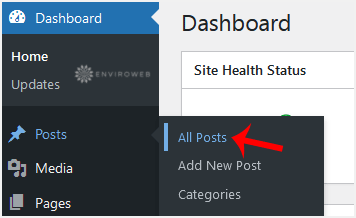
Step 3: Checkmark the top checkbox to select all posts.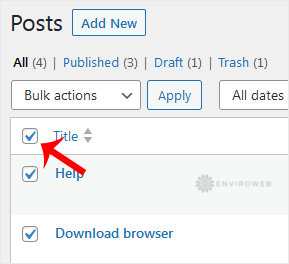
Step 4: Click on Bulk Actions and select Move to Trash from the drop-down menu. Then click on Apply.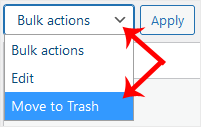
Your posts have now been moved to Trash. To permanently delete them, click on Trash and select Empty Trash.
