

How to Create Categories in WordPress

Categories are essential for organizing posts in WordPress. You can create categories and even sub-categories, while posts can be assigned to multiple categories to improve content structure.
To create a category in WordPress, follow these steps:
Step 1: Log in to the WordPress dashboard.
Step 2: From the Dashboard menu, go to Posts and click on Categories.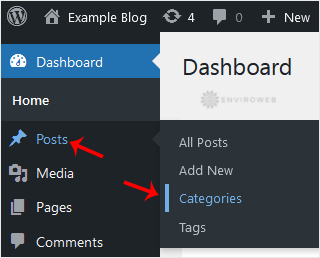
Step 3: Enter the following details in the Add New Category section:
Name: Enter your category name (e.g., Computer).
Slug: Enter a slug name (you can leave this blank if you prefer).
Parent: Leave this at None, or select a category to make it a sub-category.
Description: You can add a description for your category or leave it blank.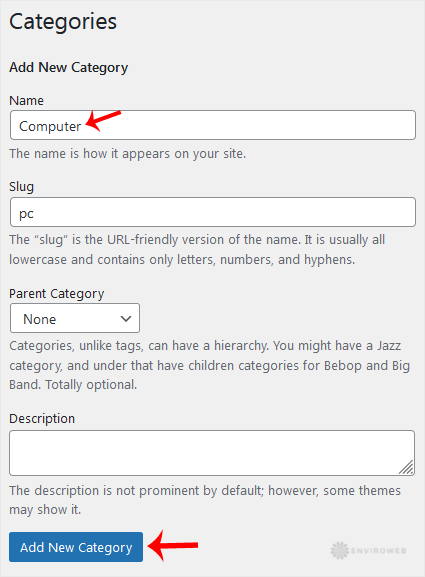
Step 4: Click on Add New Category.
Your new category has been created successfully.
