How to Rename the "Uncategorized" Category in WordPress

The "Uncategorized" category cannot be deleted, but you can rename it. Here's how you can update its name and slug in WordPress.
Follow these steps to rename the "Uncategorized" category:
Step 1: Log in to the WordPress dashboard.
Step 2: From the Dashboard menu, go to Posts and click on Categories.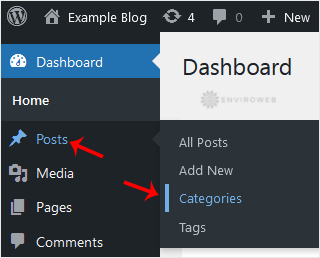
Step 3: Hover your mouse over the Uncategorized category and click on Quick Edit.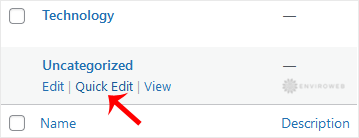
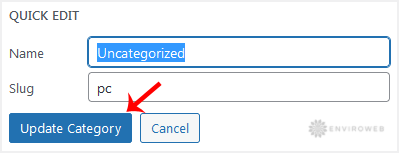
Step 4: Change the category name and slug as desired, then click on Update Category to save the changes.