How to Remove a WordPress Category

You can easily remove a category in WordPress by following these steps.
Follow these steps to remove a category in WordPress:
Step 1: Log in to the WordPress dashboard.
Step 2: From the Dashboard menu, go to Posts and click on Categories.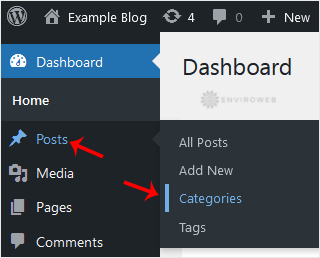
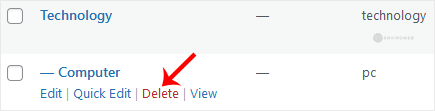
Step 3: Hover your mouse over the category you want to remove and click on Delete. A confirmation message will appear. Confirm the deletion by clicking on OK.