

How to Install a New WordPress Theme

You can install a new WordPress theme without any technical knowledge. It is an easy and automated process that you can follow with these simple steps.
Follow these steps to install a new theme in WordPress:
Step 1: Log in to the WordPress dashboard.
Step 2: From the Dashboard menu, go to Appearance and click on Themes.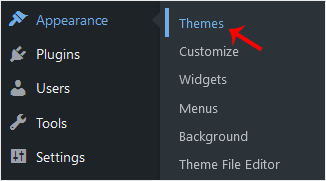
Step 3: Click on Add New Theme.
Step 4: You can search for a theme using the search bar or browse the themes, choosing from Favorites, Popular, and Latest.
Step 5: Hover your mouse over the theme you like and choose Install.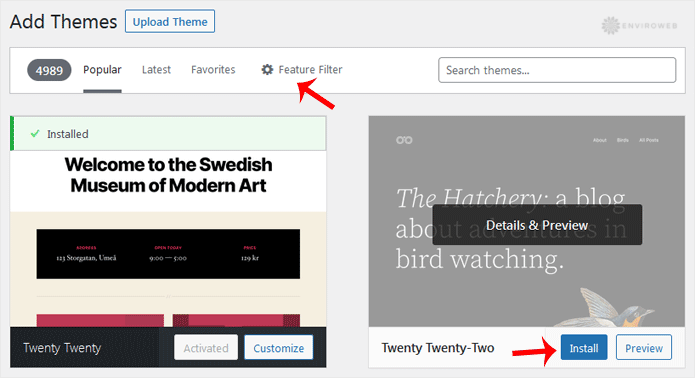
Step 6: Click Activate on the newly installed theme.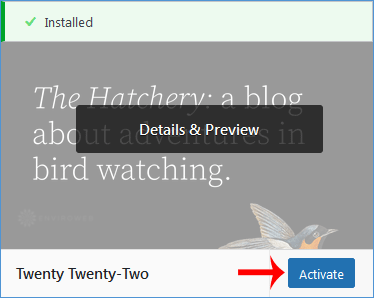
Congratulations, you have installed and activated a new theme on your blog.
