

Why Remove Unused Themes?

It is considered good practice to remove old, unused themes to protect your WordPress website from vulnerabilities. Keeping unused themes can expose your site to unnecessary risks.
Follow these steps to remove unused themes from your WordPress website:
Step 1: Log in to the WordPress dashboard.
Step 2: From the Dashboard menu, go to Appearance and click on Themes.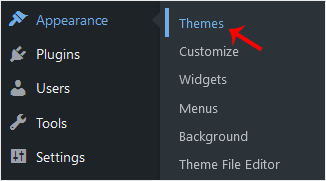
Step 3: Hover your mouse over the theme you want to remove. Then, click on Theme Details.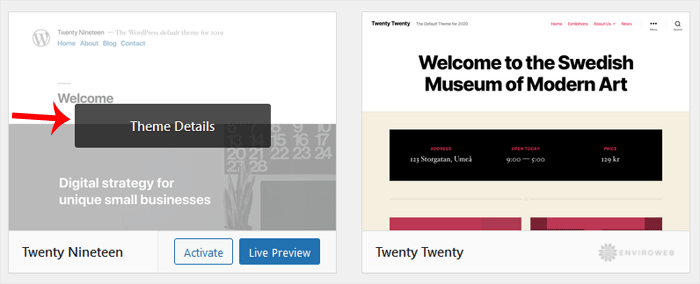
Step 4: Click on Delete and confirm with OK. You can find the Delete option at the bottom right area of the window.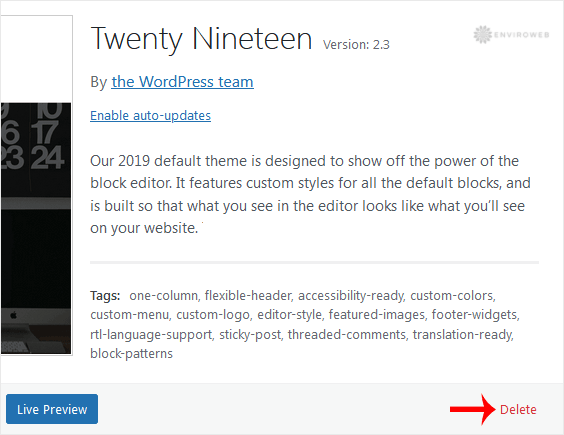
Congratulations, you have successfully removed the theme.
