

If you need to update or remove a CNAME (Canonical Name) record in your domain’s DNS settings, you can do so easily using cPanel’s Zone Editor. This is useful for correcting misconfigured records, changing alias targets, or cleaning up unused DNS entries.
Note: DNS changes can take between 12 to 24 hours to fully propagate across the internet.
Step 1: Log in to your cPanel account.
Step 2: In the Domains section, click on Zone Editor.
Step 3: Find your domain in the list and click on Manage under the Actions column.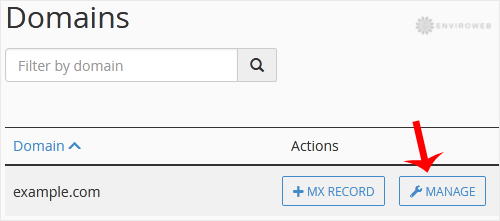
Step 4: Locate the CNAME record you want to modify or delete from the list.
Step 5: To edit a CNAME record, click Edit, update the desired fields, and click Save Record.
To delete a CNAME record, simply click on Delete next to the record.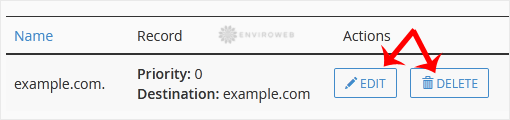
Your changes will take effect once DNS propagation completes, usually within 24 hours.
