

Why Use Plugins in WordPress?

Plugins are essential tools that enhance the functionality of your WordPress site. They allow you to add features like contact forms, social media integration, and more. WordPress plugins are easy to install and manage directly from the dashboard.
Follow these steps to install a plugin in WordPress:
Step 1: Log in to the WordPress dashboard.
Step 2: From the Dashboard menu, go to Plugins and click on Add New.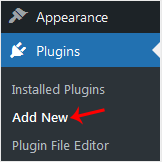
Step 3: Use the Search filter to find the plugins. Type Security to find plugins related to security.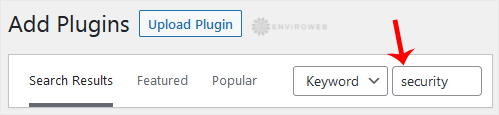
Step 4: The available plugins matching the keyword Security will appear. Click on Install Now next to the plugin's name.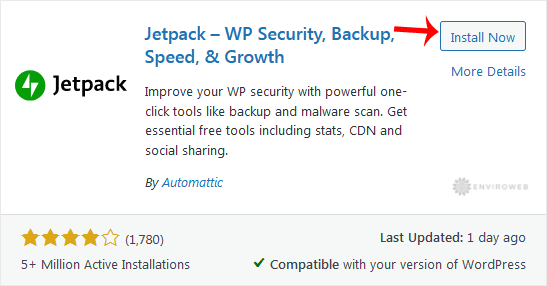
Step 5: The installation can take a few moments. Once the Activate option appears, click on it.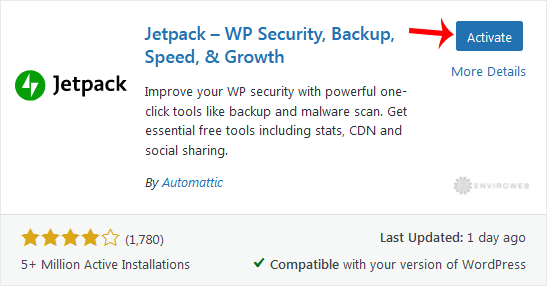
Note: After activating a plugin, a new menu for that plugin will be added to the Dashboard. If the plugin requires any setup, it will prompt you with an option to complete the setup.
