Why Deactivate or Delete Plugins?

Deactivating or deleting unused plugins from your WordPress site is important to keep your website fast, secure, and free from unnecessary code. Deactivating a plugin will stop it from running, and deleting it will remove it entirely from your website.
Follow these steps to deactivate and delete plugins in WordPress:
Step 1: Log in to the WordPress dashboard.
Step 2: From the Dashboard menu, go to Plugins and click on Installed Plugins.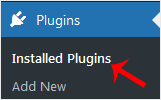
Step 3: To deactivate a plugin, for example, the Hello Dolly plugin, click on Deactivate, which appears below the plugin's name.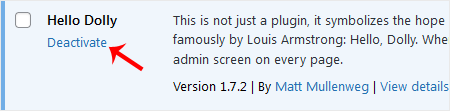
How to Delete a Plugin in WordPress?
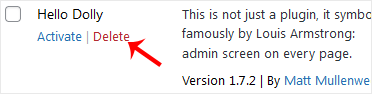
Step 4: Once the plugin is deactivated, the Delete option will appear.
Click on Delete at the bottom of the deactivated plugin's name and confirm by clicking OK to remove it.