

If you need to change the password of a specific FTP account, this can be done easily from within cPanel. Note that the primary FTP account uses your main cPanel login credentials, so to change its password, you'd need to update your cPanel password instead.
Note: Changing the password of the main FTP account requires updating your cPanel account password. The steps below apply to additional FTP accounts you've created.
Step 1: Log in to your cPanel account.
Step 2: In the Files section, click on FTP Accounts.
Step 3: Scroll to the list of existing FTP accounts. Find the FTP user you want to update and click on Change Password.
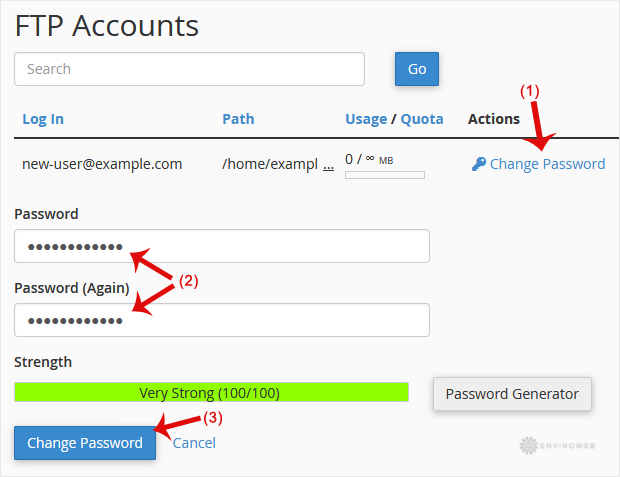
Step 4: Enter your new password manually or use the built-in password generator to create a secure one. Then click on Change Password.
Once updated, you can log in to FTP using the new password immediately.
