What is b2evolution?

b2evolution is an advanced open-source blogging and content management system. It supports multiple blogs, photo albums, forums, and user permissions out of the box. It is designed to handle complex websites and online communities with ease, making it a versatile choice for users who want more than just a basic blog.
Softaculous helps you install web applications very easily. Please follow the steps below to install b2evolution:
Step 1. Log in to your cPanel account.
Step 2. In the Software section, click on Softaculous Apps Installer.
Step 3. You will be redirected to the Softaculous interface.
Step 4. On the left-hand side, click on the Blogs category, then select b2evolution.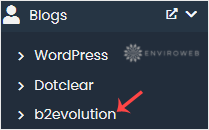
Step 5. Click on Install.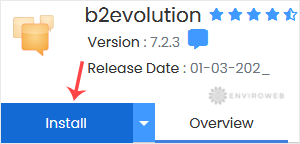
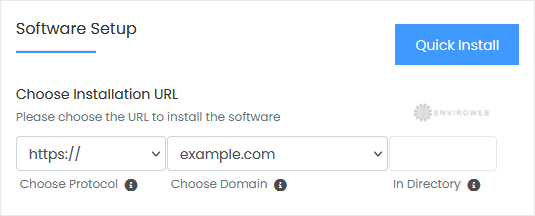
Step 6. Under the Software Setup section:
- Choose Installation URL: Select the protocol and domain. To install in a subdirectory like example.com/blog, enter the directory name. Leave it blank to install at the root domain (example.com).
Step 7. Under Admin Account:
- Admin Username: Set a secure username (avoid using “admin”).
- Admin Password: Choose a strong password.
- Admin Email: Provide a valid email address.
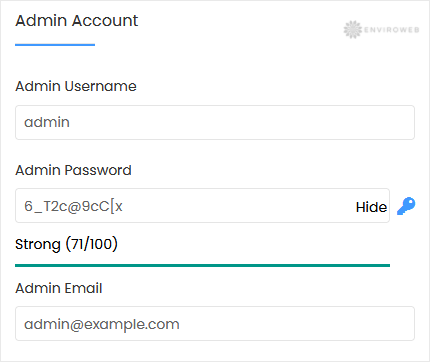
Note: Save your admin login credentials somewhere safe. You’ll need them to access the b2evolution dashboard.
Step 8. Choose Language: Select the preferred language for your blog (default is English).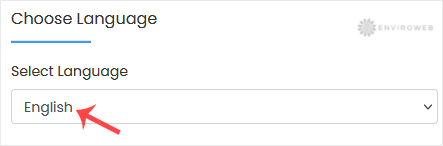
Step 9. Advanced Options: You may leave this section as default unless you want to modify the database name or enable automatic backups. Be aware that frequent backups can consume disk space.
Scroll down and click on Install to complete the setup.