

Follow the steps below to remove Two-Factor Authentication (2FA) from your cPanel account if you no longer wish to use it.
Step 1. Log in to your cPanel account.
Step 2. In the Security section, click on Two-Factor Authentication.
Step 3. Click on Remove Two-Factor Authentication.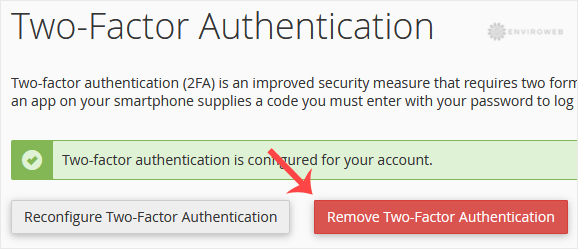
Step 4. When prompted for confirmation, click on Remove again to finalise the action.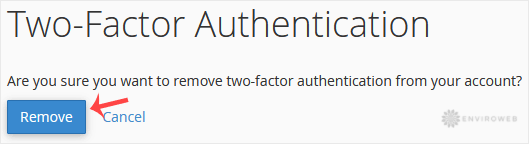
Once removed, you should see a success message: Success: The system removed the two-factor authentication from your account.
