

Creating contacts in your dashboard is an excellent and easy way to ensure your important stakeholders receive emails from Enviroweb regarding updates about your products and services, domain names, support tickets etc.
Creating Contacts
- Navigate to the top right corner of the screen and select the account details dropdown.
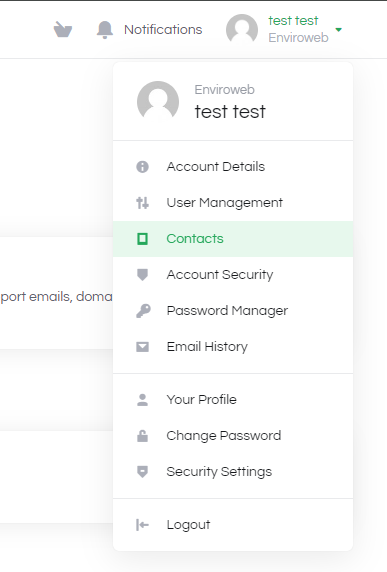
2. When on the Contacts page, select "add new contact" from the dropdown and enter their details below.
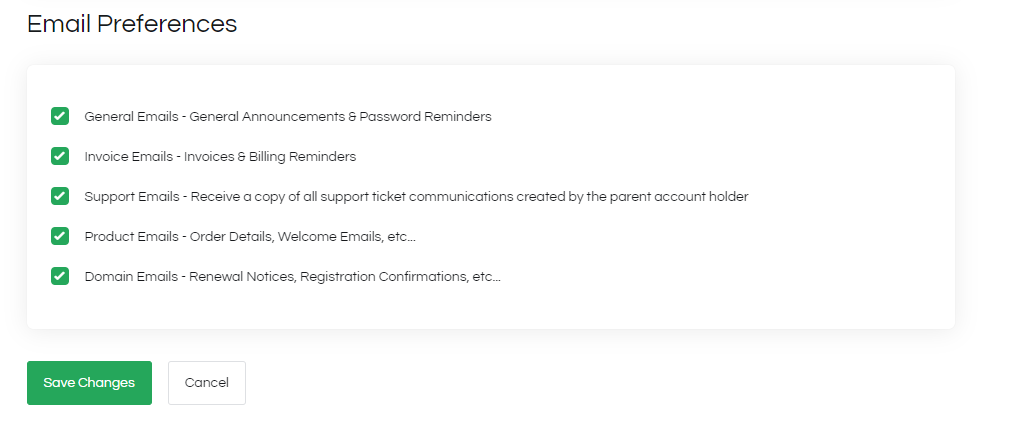
3. Once you've entered their details you can select the required email preferences for the contact that is being added.
4. To modify an existing contact, select the contact you would like to edit from the "Choose Contact" dropdown
5. Once selected the contact's information will load. From here you can modify their personal details, email preferences and you can delete the contact.
