

If you purchased a cloud email plan as an addon, follow these steps:
1. From your Enviroweb Dashboard, click Services > My Services
2. Select your Hosting Plan from the list
3. Scroll to the bottom of your hosting plan management page and click Manage on your Cloud Email Addon
4. From the Manage Email Accounts screen, click + Create User
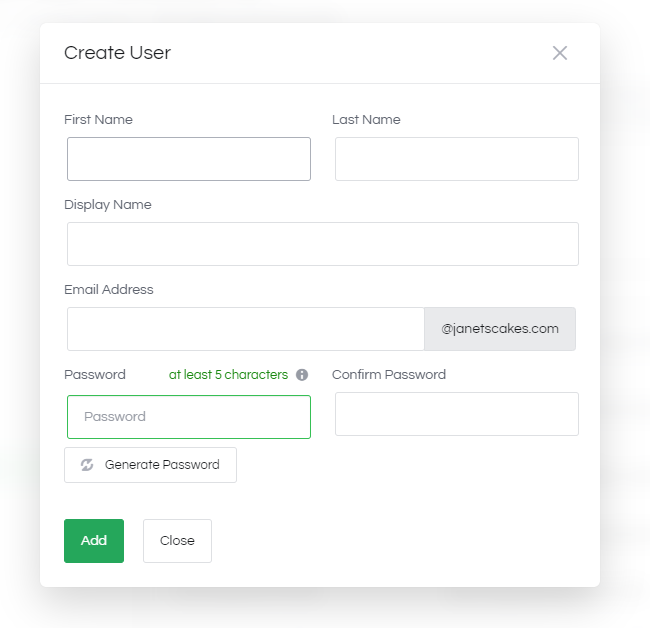
5. Fill out the required details for the user and click Add
6. Once the account is created, click Login to OX App Suite from the side bar and enter your new login details to access your webmail and apps.
If you purchased a cloud email plan as a Standalone service and not as an addon, click here
