

If you have already reached your mailbox quota and wish to add more, follow these steps:
Navigate to the Manage Email Accounts page from your Enviroweb dashboard.
If purchased as a hosting addon, follow these steps:
1. Click Services > My Services
2. Select your Hosting Plan
3. Scroll to the bottom where your cloud email plan is located and click Manage
4. Click Upgrade
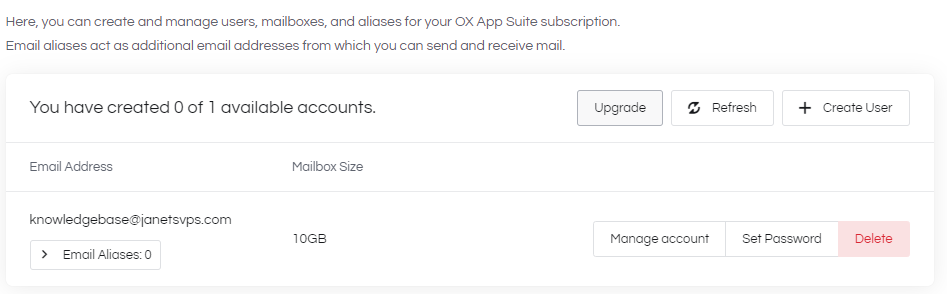
5. Select the Quantity and Billing Cycle for the number of accounts you wish to add and proceed to checkout.
If purchased as a Standalone Service, follow these steps:
1. Click Services > My Services
2. Select your OX Email Plan
3. Click Manage Email Accounts in the sidebar
4. Click Upgrade
5. Select the Quantity and Billing Cycle for the number of accounts you wish to add and proceed to checkout.
