

What is an Email Alias?
An email alias is an alternative email address that forwards messages to a primary email account. It allows you to have multiple email addresses that all direct incoming mail to a single inbox.
For example: You have an email account called "[email protected]" and an alias called "[email protected]". When someone sends an email to "[email protected]" it will appear in the mailbox of the parent address which is "[email protected]".
How to create an Email Alias
To create an alias, navigate to the Manage Email Accounts screen on the Enviroweb Dashboard.
If purchased as a hosting addon, follow these steps:
1. Click Services > My Services
2. Select your Hosting Plan
3. Scroll to the bottom where your cloud email plan is located and click Manage
4. Locate the account you wish to create an alias for and click the dropdown labelled Email Aliases
5. Enter name for the alias and click Create
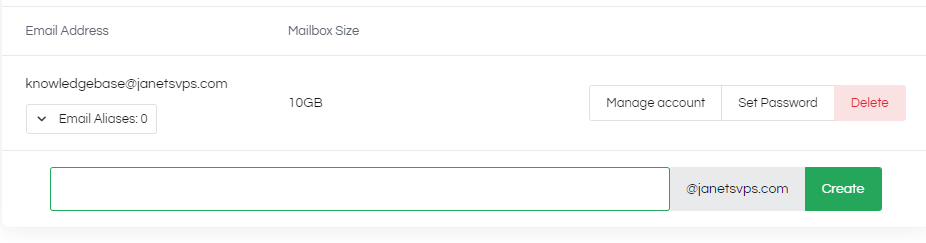
If purchased as a Standalone Service, follow these steps:
1. Click Services > My Services
2. Select your OX Email Plan
3. Click Manage Email Accounts in the sidebar
4. Locate the account you wish to create an alias for and click the dropdown labelled Email Aliases
5. Enter name for the alias and click Create
