Disclaimer:
Changing the name of a MySQL database may break connections in applications that rely on the current database name. Always back up your database before making changes.
Step 1: Log in to your cPanel account.
Step 2: In the Databases section, click on MySQL Databases.

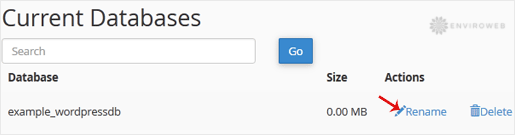
Step 3: Under the Current Databases section, locate the database you wish to rename and click on Rename.
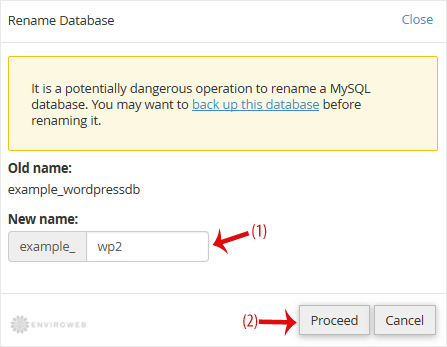
Step 4: Enter the new database name in the field provided and click on Proceed.