What is Chyrp?

Chyrp is a lightweight, fast, and flexible blogging engine designed to make publishing simple without sacrificing power. It's ideal for users who want a minimalist and developer-friendly blogging platform that supports extensibility via modules and themes.
Softaculous helps you install web applications very easily. Please follow the steps below to install Chyrp:
Step 1. Log in to your cPanel account.
Step 2. In the Software section, click on Softaculous Apps Installer.
Step 3. cPanel will redirect you to the Softaculous interface.
Step 4. On the left side, locate the Blogs category. Click on it and then on the Chyrp link that appears.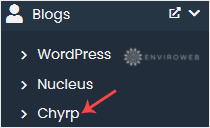
Step 5. Click on Install.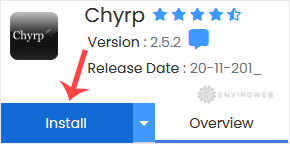
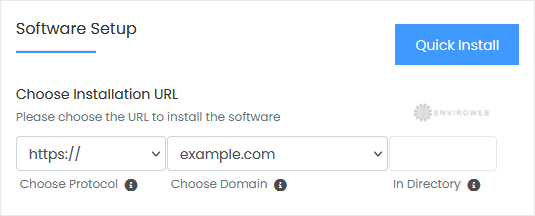
Step 6. Under the Software Setup section:
- Choose Installation URL: Select the domain and protocol. If you want to install Chyrp in a subfolder like example.com/blog, enter the folder name in "In Directory". Leave it blank to install in the root of the domain.
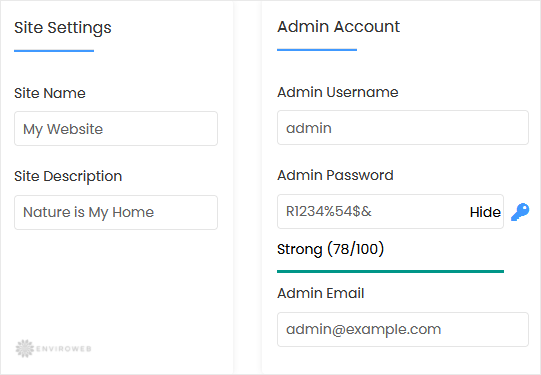
Step 7. Under Site Settings:
- Site Name: Enter the title of your blog.
- Site Description: Provide a short description of your blog or website.
Step 8. Under the Admin Account section:
- Admin Username: Choose a unique username (avoid "admin").
- Admin Password: Set a strong, secure password.
- Admin Email: Your email address for admin access.
Note: Save your admin username and password. You will need these to log in to the Chyrp admin panel.
Step 9. Advanced Options: You can leave these unchanged unless you want to rename the database or enable automated backups. Frequent backups can consume a lot of disk space, so plan accordingly.
Finally, scroll to the bottom of the page and click on Install to complete the installation.