

Step 1: Log in to your cPanel account.
Step 2: In the Databases section, click on phpMyAdmin.

Step 3: From the navigation menu on the left-hand side, select the database you wish to export.
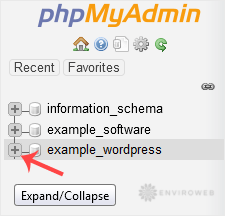
Step 4: Click on the Export tab at the top of the screen.

Step 5: Choose the SQL format option, then click on the Export button to begin the download.
The SQL file will begin downloading shortly. The time taken depends on the size of your database.
