

Step 1: Log in to your cPanel account.
Step 2: In the Databases section, click on phpMyAdmin.

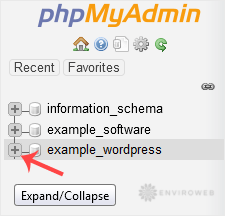
Step 3: In the left-hand navigation panel, click the expand icon next to your database to reveal its tables.
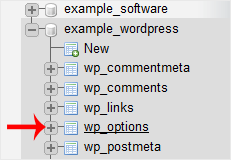
Step 4: Click on the table you want to edit. For example, to change the blog name in WordPress, select the wp-options table.
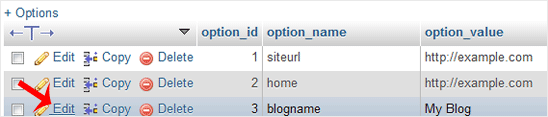
Step 5: Find the row you want to change and click Edit.
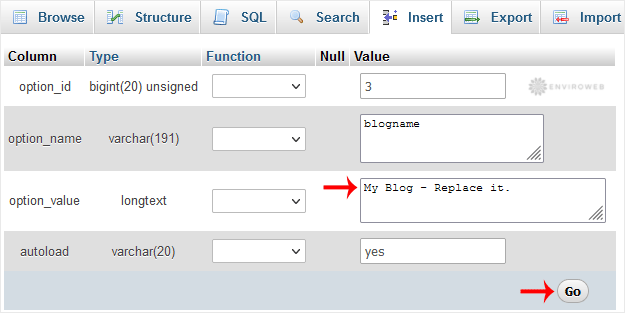
Step 6: Modify the value in the relevant field, then click Go to save the changes.
You can use this method to directly update database values if you are unable to make changes from within the software’s admin panel. For instance, you might update site settings or restore access manually through the database.
