

Warning: Deleting a table using the DROP command will permanently remove it and all of its data. This action is irreversible unless you have a backup available. Please proceed with caution.
Step 1: Log in to your cPanel account.
Step 2: In the Databases section, click on phpMyAdmin.

Step 3: In the left-hand navigation pane, click the expand icon next to your database to reveal its tables.
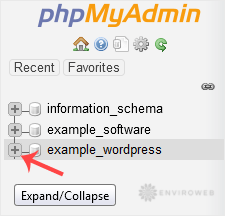
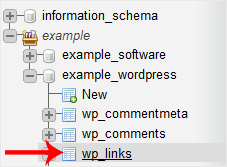
Step 4: Select the table you want to delete. For example, if you want to delete the wp_links table, click on it from the list.
Step 5: Once inside the selected table, click on the Operations tab at the top of the page.

Step 6: Scroll down to the bottom of the Operations page and click on Delete the table (DROP) to permanently remove the table.
