To invite your team members to your SiteLock Security Dashboard, follow these steps:
1. Login to SiteLock Security from your Enviroweb dashboard
2. In the left hand navigation menu, click Users
3. Click +User in the top right corner of the screen
4. Enter the user's Name, Login (Username) and Email. (Note: the login for the user must be unique)
5. Once created, the invited user will receive an email from SiteLock with a login link.
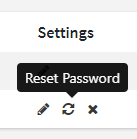
6. From this screen you can also manage your invited users. To reset a user's password, click the arrows in the settings column of the users account row in the table.