Creating an email address in cPanel is a straightforward process that allows you to set up professional, domain-based email accounts such as [email protected]. Follow the steps below to create a new email account within your hosting environment.
Step 1: Log in to your cPanel account.
Step 2: In the Email section, click on Email Accounts.

Step 3: Click on the +Create button, located on the right-hand side of the page.
Step 4: Under Create An Email Account, fill in the required details:
- Domain: Select the domain for the email address (if you have more than one).
- Username: Enter your preferred email name (e.g.,
johnto create[email protected]). - Security: Choose Set password now and either create a password or use the password generator.
- Optional Settings: Click Edit Settings to expand. Set a mailbox size limit or choose Unlimited.
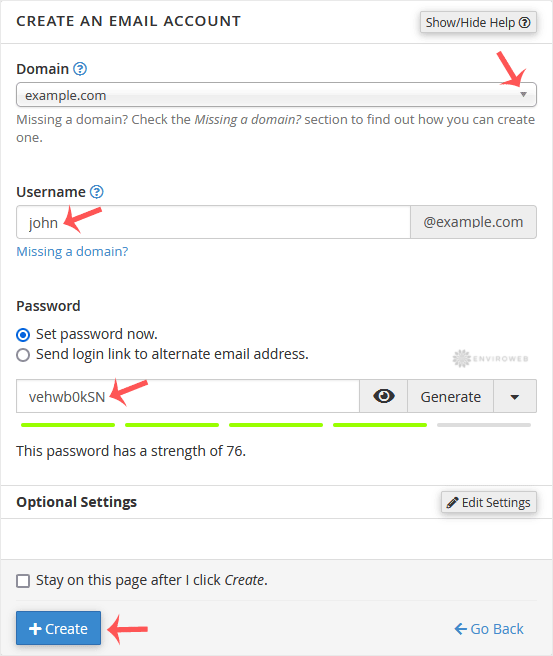
Step 5: Click on Create to finalise the account setup.
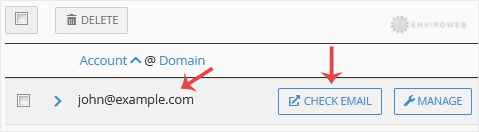
Once the email account is created, it will be listed under the Account & Domain section, where you can manage or edit it as needed.