

You can change your email account password directly from within cPanel using the steps below:
Step 1: Log in to your cPanel account.
Step 2: In the Email section, click on Email Accounts.
Step 3: Under the Account @ Domain section, locate the email account you want to change the password for.
Step 4: Click on Manage next to your email address (e.g., [email protected]).
Step 5: In the New Password field, enter a new secure password or use the Password Generator to create one automatically.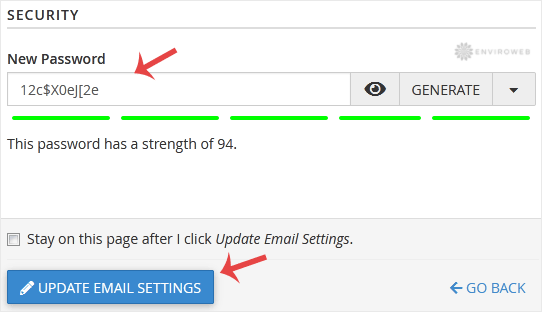
Step 6: Scroll to the bottom of the page and click on Update Email Settings.
Congratulations! Your email password has been successfully changed. You can now use your new password to access your mailbox.
