

If you no longer need a specific email filter for one of your accounts, you can remove it easily through cPanel. This guide will walk you through the steps.
Step 1: Log in to your cPanel account.
Step 2: In the Email section, click on Email Filters.
Step 3: Under Filters by Users, find the email account containing the filter you wish to delete and click Manage Filters.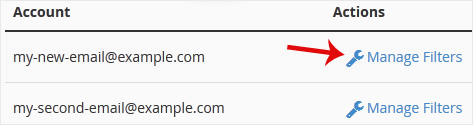
Step 4: Under Current Filters, locate the filter you want to remove and click on Delete.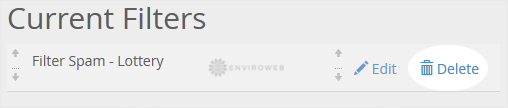
Step 5: Confirm the action by clicking Delete Filter. The selected filter will now be permanently removed.
Your email filter has been successfully deleted.
