

What Are Elements
Elements provide individual objects with which you can build websites, such as icons, buttons, headlines, images etc.
Add Elements
To add elements to your site, follow these quick and easy steps:
1. Select Elements from the left side bar
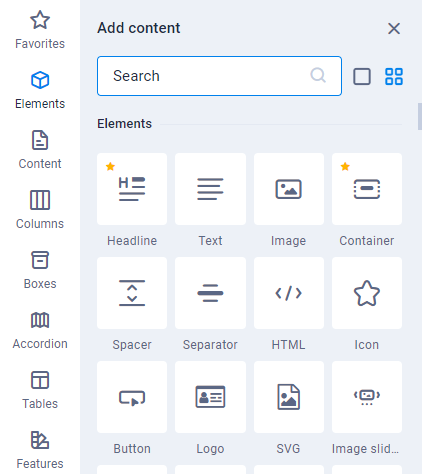
2. Find the element that you wish to add (Image, Text Box, Button etc.) and Drag and Drop the element to the location on the page where you would like it to be.
Move Elements
Moving elements to different places on your site is easy.
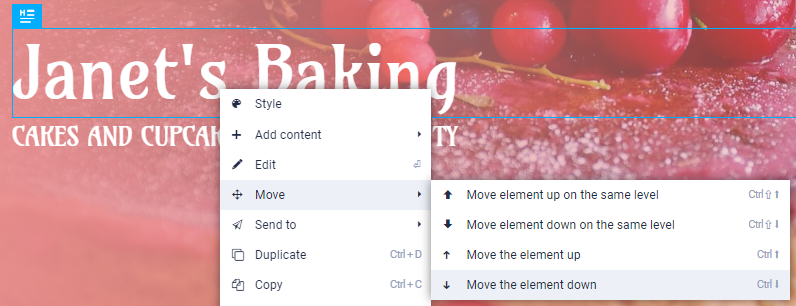
1. Simply Click and Drag the element up or down the page to the desired location
2. alternatively, Right Click the element you would like to move and select the option from the Move list.
Edit Elements
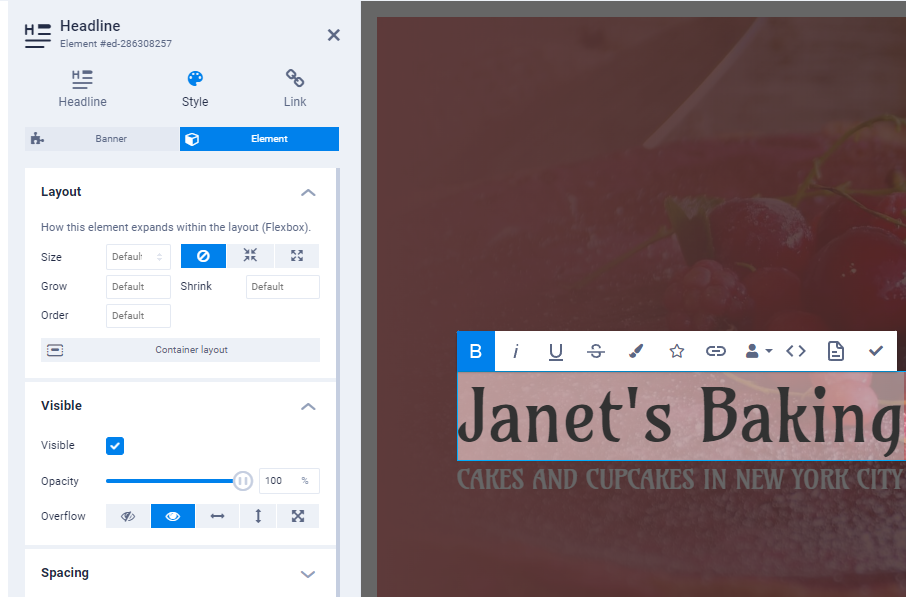
1. To edit elements, first apply them to the page, then Right Click and Click Edit or Double Click the element.
2. From here, the left sidebar will expand and provide extensive options for you to customise the element to your choosing.
Delete Elements
To delete elements, simply Right Click and select Delete from the menu or Select the element and click Delete on your keyboard.
