

Adding a map to your site is a great way to let your visitors know where your business is located.
You can add a map to your site easily by following these steps:
1. Click Elements from the left side menu
2. Select Map from the list of elements
By default, the map will show the location entered in the Data section of your site. If you had not filled out this information before adding the map you can change the map location in the map settings
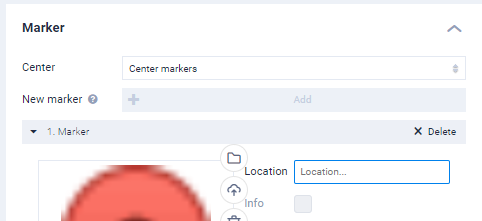
Advanced Map Settings With Google Maps API
More options become available once you add a Google Maps API key under More > SEO. These include the ability to change the style, and type of map (satellite, the default street map, and others), plus the ability to add more than one marker.
To get a Google Maps API key follow these steps with google: Click Here
Once you have your API key, follow these steps in the website builder:
1. Click More from the top right and click SEO Settings
2. Scroll to the bottom of the SEO settings menu and paste your API Key in the relevant field.
3. Once you have added your API Key and saved your site you will have advanced options available when editing the map to change things such as colour, view, terrain, style and more.
