

This guide explains how to reinstall or change the operating system (OS) for your server using the client area control panel.
Disclaimer:
Reinstalling your operating system will permanently delete all data stored on the server, including files, applications, and configurations. This data cannot be recovered once the reinstall begins. Enviroweb provides unmanaged VPS hosting services, and you are solely responsible for backing up your data and managing your system. Enviroweb is not liable for any loss of data, misconfiguration, or downtime resulting from an OS reinstall.
To begin the reinstallation process, follow these steps:
1. Login to your client area dashboard and navigate to the VPS service you would like to perform the actions on.
2. Once in the VPS details screen you will be able to see the "Service Actions" section.
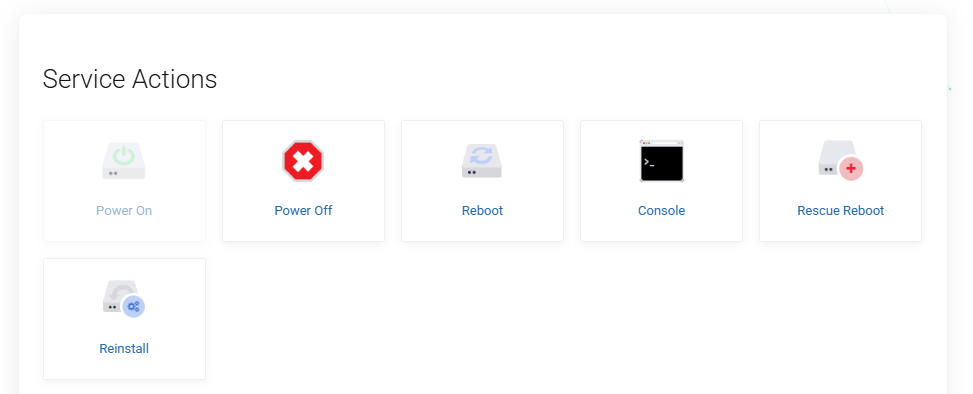
3. Select Reinstall from the options
4. Select the OS you would like to install (If performing a reinstall select the same OS you were using previously)
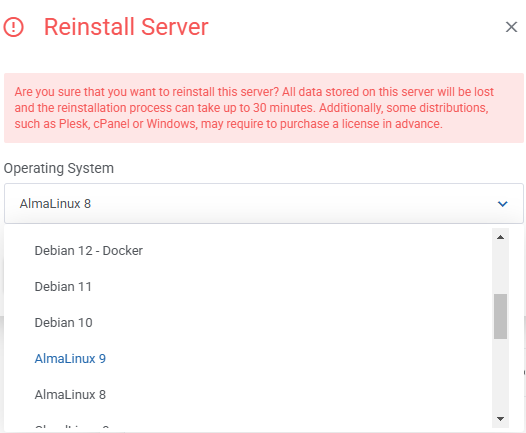
5. Once the OS is selected, click Confirm. This will begin the reinstallation process which can take up to 30 minutes.
6. Once completed, you will receive an email from us stating the VPS has been reinstalled. This email will contain your new root credentials for the server.
