

What is Reverse DNS?
Reverse DNS (also known as rDNS or PTR record) allows someone performing a lookup on your IP address to see a domain name in return. This is the reverse of standard DNS, which maps a domain name to an IP address.
rDNS is commonly used by mail servers and network services to validate that a server's IP address is properly associated with a hostname. Some mail providers may reject or flag messages sent from IPs without properly configured rDNS.
Important Note
Your reverse DNS entry should match the actual hostname of your VPS. For example, if you've set your server's hostname to server.mydomain.com, then your reverse DNS should also be set to server.mydomain.com.
Disclaimer:
Reverse DNS records must be accurate and reflect the actual hostname of your VPS. Incorrect rDNS settings can cause issues with mail delivery, domain reputation, and network trust. Enviroweb provides unmanaged VPS services and does not configure or troubleshoot DNS records on your behalf. It is your responsibility to ensure your rDNS settings are correct and fully propagated.
How to Set a Reverse DNS Rule
To create a reverse DNS rule for your VPS, follow these steps:
1. Login to your client area dashboard and navigate to the VPS service you would like to perform the actions on.
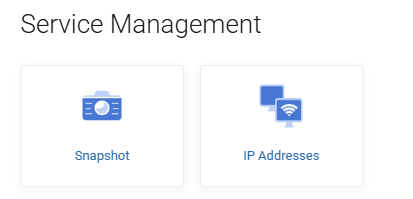
2. Select IP Addresses from the Service Management section of your VPS control panel. This will display the IP addresses assigned to your VPS.
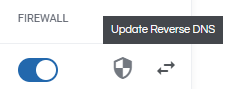
3. Select the Arrows button for the IP address you'd like to set the rDNS rule for.
4. In the pop-up modal, you can define the reverse DNS name for the selected IP address.
***Note: Modifications are applied immediately, however, the changes may take up to 24 hours to fully propagate.***
5. Click confirm! You've now set your rDNS for your VPS.
